What is DNSSEC, and does your domain actually need it? If you’ve ever spotted a mysterious DNSSEC toggle in your registrar’s dashboard and wondered whether flipping it matters, you’re in the right place.
The stakes behind that little toggle are real. Back in September 2014, researchers at Carnegie Mellon University (CMU) found email that was supposed to travel through Yahoo!, Hotmail, and Gmail servers being routed through rogue mail servers instead. The attackers were exploiting a decades-old weakness in the Domain Name System (DNS): it doesn’t check for credentials before accepting an answer.
DNSSEC, short for Domain Name System Security Extensions, is the fix that the internet’s engineers built for exactly that weakness. It’s also one of the most misunderstood acronyms in the domain world.
In this guide, we’ll walk you through what DNSSEC is in plain English, what it can and can’t protect you from, whether your domain needs it, and how to switch it on. Let’s get started!
📚 Table of contents:
What is DNSSEC? 🔒
DNSSEC stands for Domain Name System Security Extensions. It’s a set of security extensions bolted onto the Domain Name System, the internet’s phone book that translates domain names like yourbusiness.com into the numerical IP addresses that computers actually use.
In plain English, DNSSEC lets the DNS prove that an answer really came from your domain’s owner and that nobody tampered with it along the way. It does this by attaching a digital signature to your DNS data, using public key cryptography (a system of mathematically linked key pairs, where one key signs data and the other key verifies the signature).
Think of it like the tamper-evident seal on a medicine bottle. The seal doesn’t change what’s inside the bottle, but if someone swaps the contents, the broken seal tells you not to trust it. DNSSEC is that seal for every DNS answer your domain gives out.
Why DNS needs extra security 🕳️
The DNS was designed in the 1980s, when the internet was much smaller and security simply wasn’t a primary consideration.
When a DNS resolver (the server that looks up addresses on behalf of your visitors) asks where your domain lives, it traditionally has no way to verify the answer. It can only check that the reply appears to come from the same IP address it queried, and that source address is easy to forge, a trick called spoofing.
It gets worse. Resolvers remember previous answers to speed things up, a feature called caching. If an attacker slips a forged answer into that memory, the resolver will happily hand the fake address to every visitor who asks. That technique is known as cache poisoning, and ICANN’s example of it is chilling: a customer types in their bank’s address, a poisoned resolver sends them to an attacker’s lookalike site, and they type their password straight into the criminal’s hands.
This isn’t ancient history, either. The rogue mail server incident from 2014 happened precisely because the DNS doesn’t check for credentials before accepting an answer. If you’d like a refresher on how the whole lookup system works before going deeper, start with our guide to what DNS is and how it works.
How DNSSEC works ✍️
When you enable DNSSEC for your domain, your DNS provider cryptographically signs your zone (the complete set of DNS records for your domain). Note what gets signed: not the queries, not the connections, but the DNS data itself.
The signing uses a pair of cryptographic keys. The private key, kept secret by the zone owner, generates a digital signature for each set of records. The public key, published openly in the zone, lets any resolver check that the signature is genuine.
To make all this work, DNSSEC adds a handful of new record types on top of the everyday ones (and if A, CNAME, and TXT ring no bells, our guide to the most popular DNS record types covers the basics):
- RRSIG (Resource Record Signature) : the signature itself, stored alongside your DNS records.
- DNSKEY (DNS Public Key) : your public signing key, published so that resolvers can verify your signatures.
- DS (Delegation Signer) : a hash (a fixed-length fingerprint) of your key, published by the parent zone above you to vouch that your key is the real one.
- NSEC (Next Secure) : signed proof that a name doesn’t exist, so attackers can’t fake “no such domain” answers either.
These records build what engineers call a chain of trust. Your domain’s key is vouched for by the DS record at your top-level domain (like .com), whose own key is vouched for by the DNS root zone. The root has been signed since 2010, and all generic top-level domains plus many country-code ones are signed too [1]. The root has no parent to vouch for it, so its key gets signed in a public, highly audited event called the Root Signing Ceremony [3].
When a visitor’s resolver looks up your domain, it checks the signatures along that chain. If everything matches, the answer is genuine and gets delivered. If the chain says the domain should be signed but a required signature is missing or wrong, the resolver rejects the answer and returns an error. Unsigned domains still resolve; they simply aren’t authenticated by DNSSEC.
What DNSSEC protects you from 🛡️
Officially, DNSSEC adds exactly two security services to the DNS:
- Data origin authentication : the resolver can cryptographically verify that the answer came from your zone, not from an impostor.
- Data integrity protection : the resolver knows the data hasn’t been modified in transit since you signed it.
In practical terms, that means the classic attacks from the previous section simply fail. A spoofed response won’t carry a valid signature, and a cache-poisoning attempt gets detected and discarded during the verification process. Your visitors end up at your real site, not at a criminal’s copy of it.
There’s one big condition, though: the protection only kicks in when both ends participate. Your zone must be signed (that’s your job), and the visitor’s resolver must validate signatures (that’s their provider’s job). DNSSEC is not automatic; it has to be specifically enabled on both sides.
💡 You’d be in good company if you sign: millions of zones already sign their DNS data, so that visitors using validating resolvers are assured of getting authentic answers.
What DNSSEC does not do 🚫
DNSSEC is genuinely useful, but it’s also widely oversold. Here’s what it can’t do:
- It does not encrypt anything : signatures prove authenticity, but your DNS queries and answers remain visible to anyone listening. The DNSSEC standard itself states that these extensions “do not provide confidentiality” [2]. Think of it this way: HTTPS encrypts traffic so nobody can snoop on it, while DNSSEC merely signs answers so that forgeries become detectable. For actually encrypting DNS traffic, you’d want DNS over TLS (DoT) or DNS over HTTPS (DoH).
- It does not stop DDoS attacks : the standard is explicit that DNSSEC provides no protection against denial-of-service attacks.
- It does not protect your registrar account : if someone talks their way into your registrar login through phishing, a weak password, or missing two-factor authentication, they control your zone, signatures included. That’s domain hijacking, and it needs different defenses, which our domain hijacking protection guide covers in detail.
- It does not forgive a sloppy setup : if the chain of trust breaks anywhere, validating resolvers treat your domain as broken rather than merely unsigned.
⚠️ NOTE : That last point deserves emphasis. The DNSSEC standard warns that configuration errors or bugs can make entire legitimate zones effectively unreachable for validating resolvers. The practical takeaway: let your provider automate the signing, and don’t hand-edit DNSSEC records unless you know exactly what you’re doing.
Does your domain actually need DNSSEC? 🤔
The honest answer: probably yes if it’s easy to enable, but it’s not equally urgent for everyone. You’ll benefit the most if:
- Your business runs on trust : if you sell products, take bookings, or log customers in through your domain, a spoofed copy of your site directly costs you money and reputation.
- Email matters to you : DNSSEC is the foundation for email-security standards like DANE (DNS-based Authentication of Named Entities), which lets mail servers verify security keys through the DNS.
- Your provider makes it a checkbox : with many DNS hosting providers, enabling DNSSEC entails little more than clicking a check box. When the effort is a single click, the extra protection is hard to argue against.
And when is it closer to overkill?
- A throwaway test domain : nothing worth spoofing, nobody to protect.
- A parked domain with no traffic : DNSSEC won’t hurt, but it protects an audience you don’t have yet.
As for the big picture: DNSSEC is useful, not universal. Plenty of the web still runs unsigned and resolves fine for most visitors, because the protection also depends on each visitor’s resolver doing its part. And every signed domain is one more zone where spoofing stops working.
How to check and enable DNSSEC ⚙️
First, find out where your domain stands. Two public validator tools make this easy:
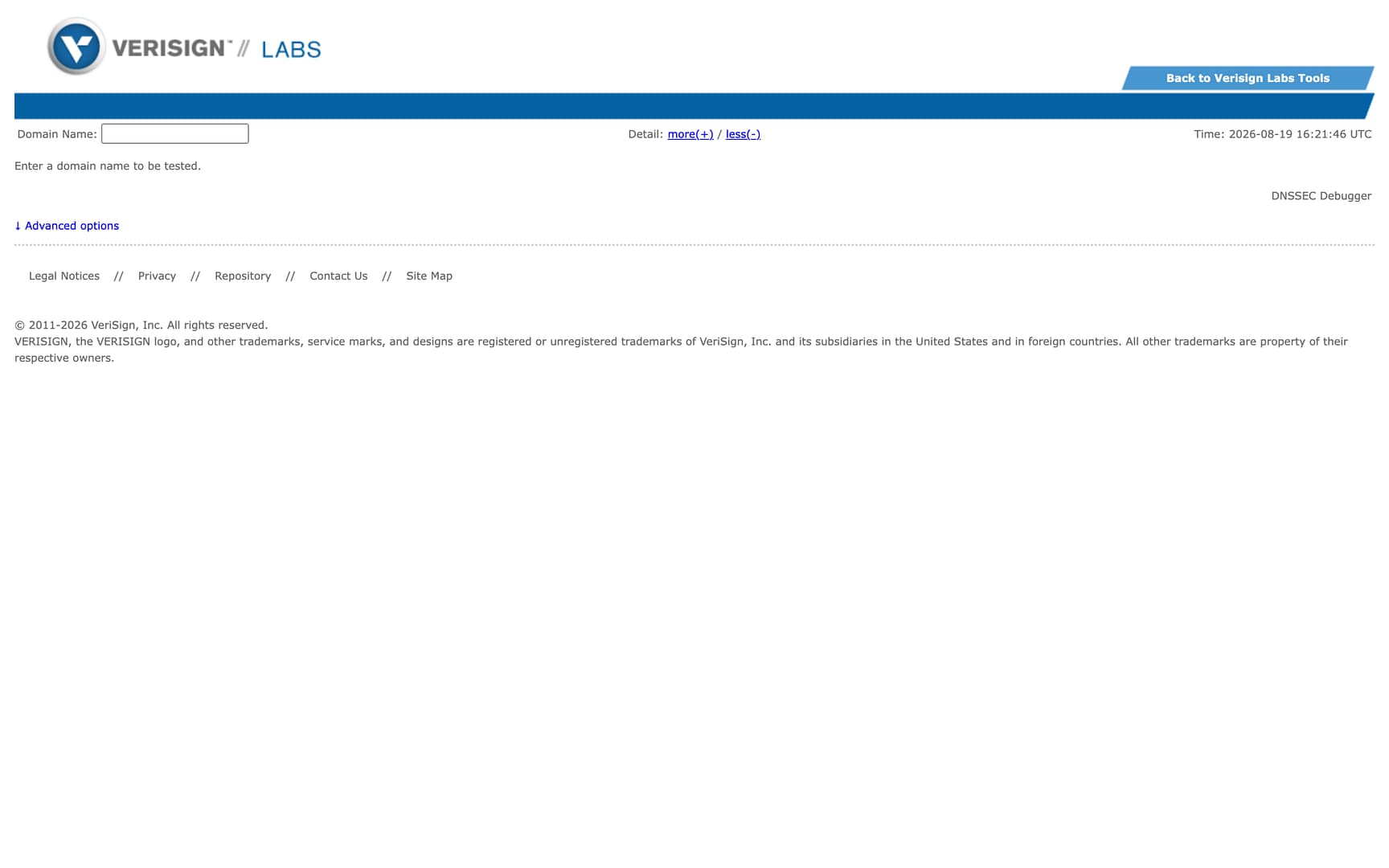
- DNSSEC Analyzer : run by Verisign Labs; you enter your domain name and it tests the setup for you [5].
- DNSViz : draws a visual map of your domain’s DNSSEC authentication chain and lists any configuration errors it detects [6].
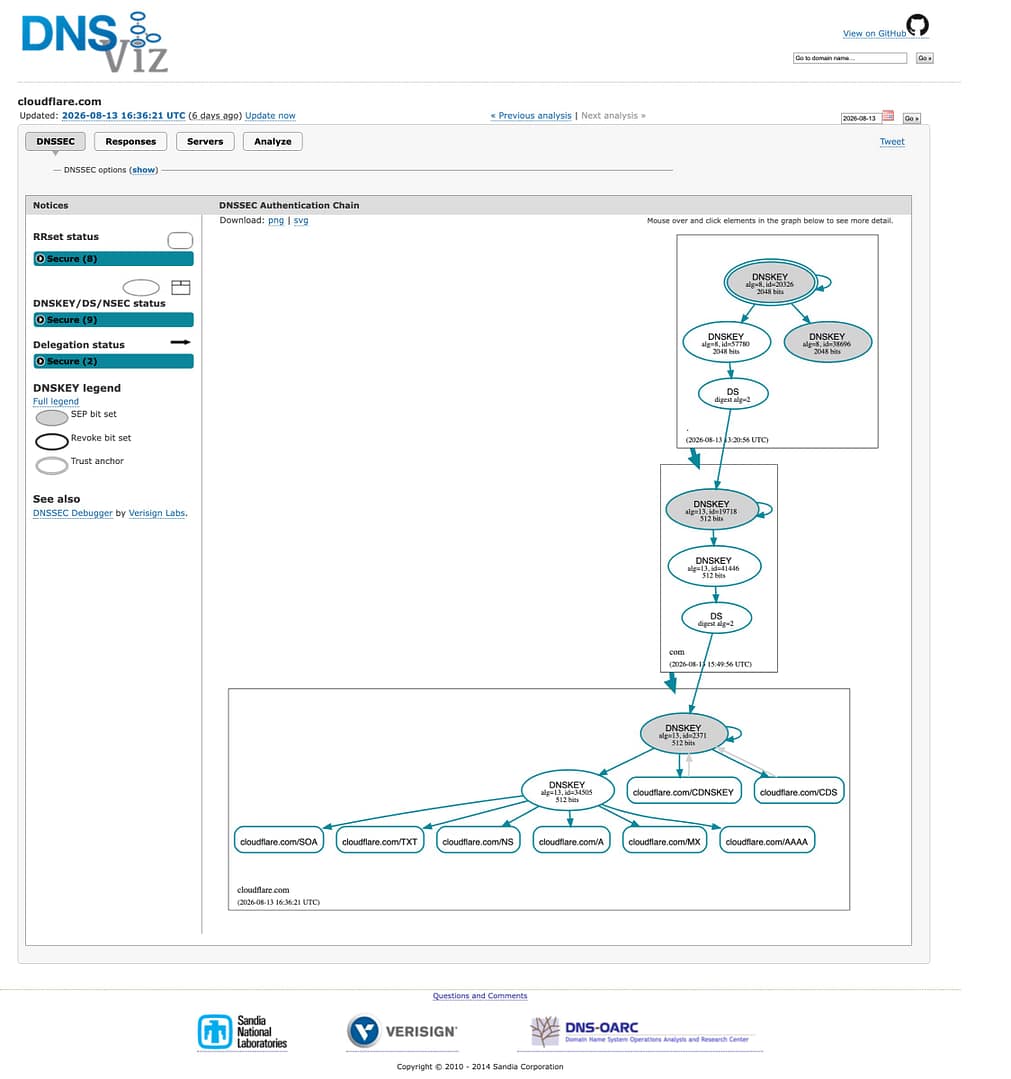
If your domain turns out to be unsigned, enabling DNSSEC usually happens wherever your DNS is hosted, which is often your registrar. The provider signs your zone and gives you the values for a DS record; that DS record then goes to your registrar, which passes your key material up to the registry to complete the chain of trust[4].
On Cloudflare, for example, the flow looks like this: open the DNS Settings page in your dashboard, click Enable DNSSEC, and Cloudflare signs your zone, publishes your public keys, and generates the DS record for you. You then add that DS record at your registrar. If the registrar’s list doesn’t show Algorithm 13 (Cloudflare’s preferred choice), it may be listed under its technical name, ECDSA Curve P-256 with SHA-256.
👉 Moving a domain to a new DNS provider? Disable DNSSEC at your registrar before you change nameservers. A signed zone that suddenly points at new nameservers without the matching keys will fail validation, and your domain can hit connectivity errors.
Once you’ve enabled it, re-run DNSSEC Analyzer or DNSViz to confirm the chain validates end to end.
Final thoughts 🏁
So, what is DNSSEC? In one sentence: it’s the signature layer that lets the DNS prove its answers are authentic, closing the spoofing and cache-poisoning holes that the original protocol left open.
It isn’t encryption, it isn’t DDoS protection, and it won’t save a weak registrar password. But if your provider offers DNSSEC as a simple toggle, switching it on is one of the cheapest wins in domain security.
The best next step: check your domain with one of the validators above, and if it’s unsigned, flip the switch where your DNS is hosted. Then keep the rest of your DNS hygiene in shape with our DNS best practices guide.
References
[1] https://www.icann.org/resources/pages/dnssec-what-is-it-why-important-2019-03-05-en
[2] https://www.rfc-editor.org/rfc/rfc4033.txt
[3] https://www.cloudflare.com/learning/dns/dnssec/how-dnssec-works/
[4] https://developers.cloudflare.com/dns/dnssec/
[5] https://dnssec-analyzer.verisignlabs.com/
[6] https://dnsviz.net/